From Rundown to Live Execution.
The operational backbone for live shows — rundowns, role visibility, live execution, and crew-ready documents in one focused system.
Plan it. Assign it.
Run it live.
Four steps from blank event to a fully executed live show — planning, team visibility, and execution all connected in one system.
Set up the event workspace — venue, date, departments, members, and show structure.
Create cues, timings, responsible teams, and department-specific cue actions.
Give each team a focused view of only the cues, assets, and actions that matter to them.
Drive NOW/NEXT cue flow, live timers, display outputs, and show execution in real time.
The command layer your show runs on.
One workspace. No tab-switching between tools, no chasing updates across group chats — every part of your show lives and moves from the same operational layer.
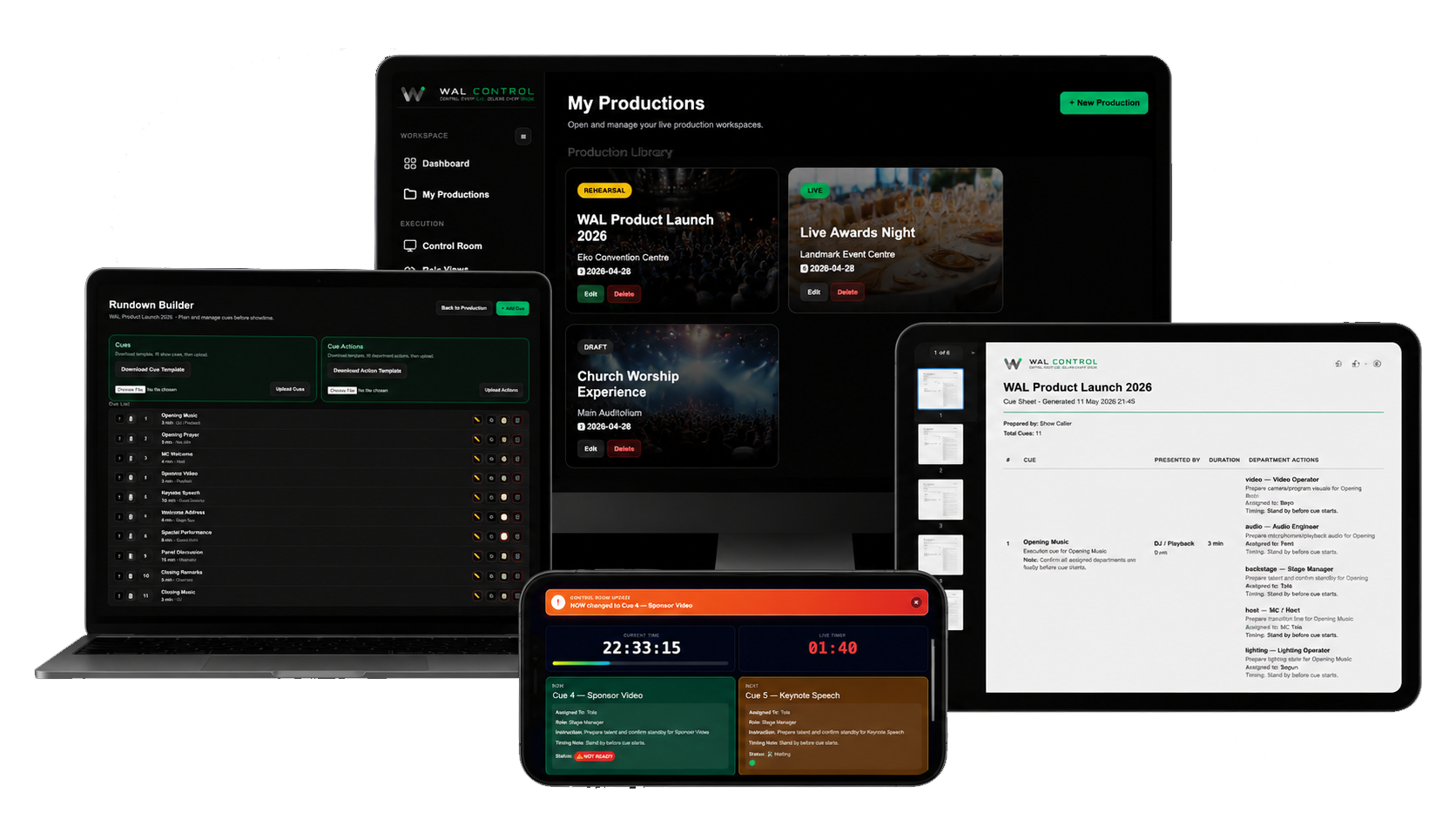
The Show Driver
Set the live cue, advance NOW/NEXT, trigger standby states, and push messages to the floor — from one focused execution view.
Your Crew, Structured
Departments, roles, call times, access levels, and show-day contacts — organised and ready before doors open.
What the Stage Sees
Timer screens, confidence monitors, and display outputs driven directly from your live cue state — no extra apps, no separate sync.
Paperwork, Done
Call sheets, cue sheets, crew lists, and patch lists built automatically from your production data — not typed from scratch.
Built for real production workflows.
Generate and organize the operational documents and assets your team needs before and during showtime.
Questions production teams ask first.
Can WAL Control be used online?
Yes. Teams can build rundowns, assign departments, share role views, and run show execution from the dashboard.
Do all crew members need accounts?
No. Admins can manage the production while role-based links can be shared with the right team members.
Can each department see only their own cues?
Yes. Audio, video, lighting, stage, and production teams can each see only the cues and actions relevant to them.
Can we export cue sheets and documents?
Yes. WAL Control can generate cue sheets, run sheets, and production documents for sharing, printing, or backup use.
Is WAL Control only for broadcast teams?
No. It works for conferences, concerts, worship productions, esports, hybrid events, and live shows.
One system. The whole show.
What WAL Control replaces in your workflow, and what it gives you in return.
Plans that scale with your shows.
Start free. Upgrade when you're running back-to-back productions. Cancel anytime.
- 2 Productions
- 5 Crew Members
- 256 MB Storage
- Rundowns & Cue Sheets
- Call Sheets & Crew Lists
- Patch & Input Lists
- Role Views & Control Room
- External Display Outputs
- 10 Productions
- 15 Crew Members
- 1 GB Storage
- Rundowns & Cue Sheets
- Call Sheets & Crew Lists
- Patch & Input Lists
- Role Views & Control Room
- External Display Outputs
- Artist module + Riders
- Priority Support
Stop running shows from group chats.
Build your first production in 10 minutes. Free plan, no card required.